
In today’s fast-paced business environment, managing invoices efficiently is critical for ensuring healthy cash flow and maintaining accurate financial records. Businesses of all sizes are now switching from manual invoicing to digital tools that simplify billing, payment tracking, and tax compliance.
However, a common question arises: Should you choose cloud-based or desktop-based invoicing software?
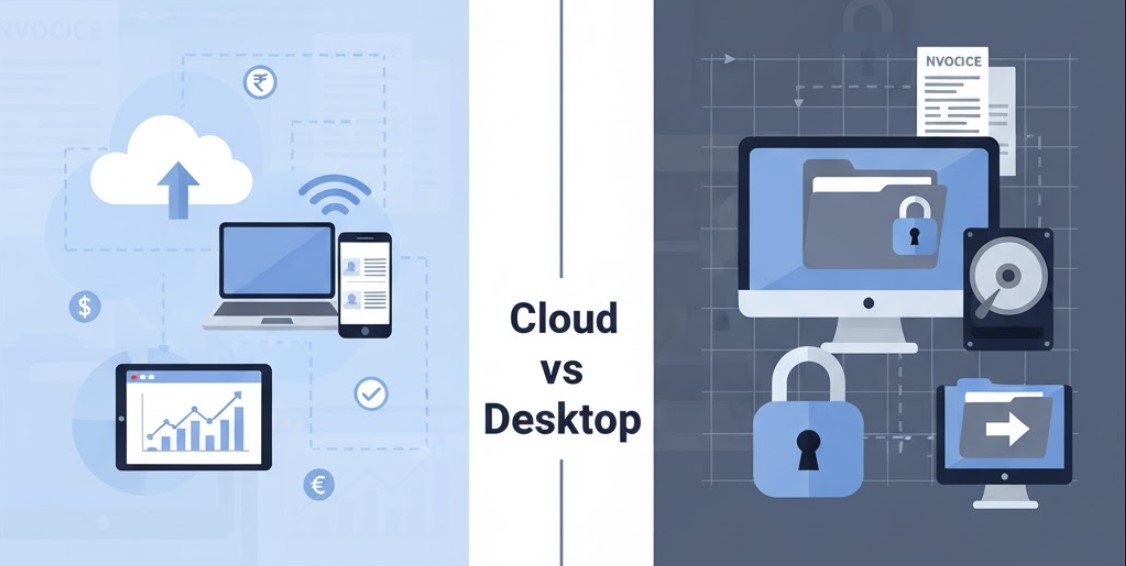
Both have their strengths — cloud invoicing offers mobility and convenience, while desktop invoicing provides stability and local control. This blog explores the key differences, advantages, and drawbacks of each to help you choose the right solution for your business.
What is Invoicing Software?
Invoicing software is a digital tool that automates the process of creating, sending, and tracking invoices. It helps businesses maintain organized records of sales transactions, payments received, and pending dues.
Modern invoicing tools also come with added features like:
- Auto-calculating taxes and discounts
- Integrating payment gateways for faster settlements
- Generating reports for GST or accounting purposes
As businesses grow, the demand for scalable, accurate, and secure invoicing systems has made software solutions essential — replacing manual entry and paper-based billing.
Understanding Cloud-Based Invoicing Software
What is Cloud Invoicing Software?
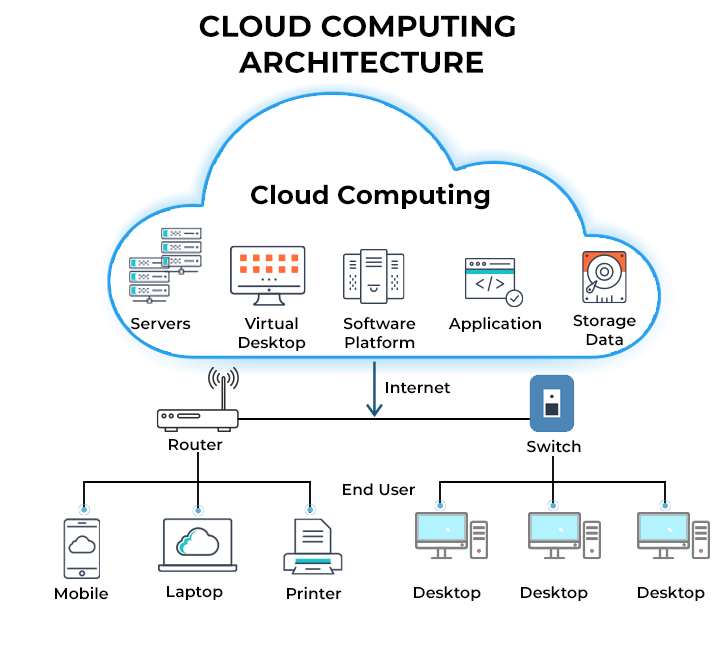
Cloud invoicing software operates over the internet. It allows users to create and manage invoices through web browsers or mobile apps. The data is stored on remote cloud servers rather than local drives, making it accessible anytime, anywhere.
Key Features
- Real-time access: View and edit invoices from any device connected to the internet.
- Multi-user collaboration: Multiple team members can work simultaneously.
- Automatic updates: No need for manual installation; updates happen automatically.
- Integrations: Connect easily with CRMs, accounting tools, or payment gateways.
- Data backup: Automatic data storage and recovery on secure cloud servers.
Examples
Vyapaarkhata: VyapaarKHATA is a simple and powerful solution for managing invoices, Billing, and Accounting. VyapaarKHATA helps to create GST & Non-GST Invoices & Bills, send over email, WhatsApp, manage customer contacts, Inventory Management, Purchase Management, Expense Management, etc. At VyapaarKHATA, we are dedicated to creating practical solutions for the thriving MSME and SME sector, which comprises 63 million businesses.
Understanding Desktop-Based Invoicing Software
What is Desktop Invoicing Software?
Desktop invoicing software is installed directly onto a computer or local server. It runs offline and stores all data on the user’s local drive or internal network.
Key Features
- Offline functionality: Works without an internet connection.
- Data privacy: Complete control over business data.
- One-time purchase: Usually available as a lifetime license model.
- Custom setup: Can be tailored for specific workflows or industries.
- Local backups: Data can be stored securely on physical drives.
Examples
Well-known desktop invoicing systems include Tally ERP, Busy Accounting Software, Marg ERP, and QuickBooks Desktop.
Detailed Comparison: Cloud vs Desktop Invoicing Software
Accessibility
- Cloud: Access your invoices anywhere — from office, home, or mobile devices. Perfect for remote teams or on-field sales staff.
- Desktop: Limited to the specific computer where it’s installed. Remote access requires additional setup.
Data Security
- Cloud: Security depends on the provider’s encryption, SSL protocols, and data centers. Top providers use multi-layer encryption and 2FA authentication.
- Desktop: Gives users full control over data, but the risk of system crashes or data corruption is higher without proper backups.
Updates & Maintenance
- Cloud: Automatically updated by the service provider with the latest features and compliance updates.
- Desktop: Manual updates are required, which may involve installation effort or technical assistance.
Cost & Pricing Model
- Cloud: Subscription-based (monthly or yearly), usually affordable for small businesses.
- Desktop: One-time purchase but may involve upgrade costs for new versions.
Speed & Performance
- Cloud: Depends on internet speed; performance may vary in areas with poor connectivity.
- Desktop: Runs locally and offers faster performance offline.
Collaboration
- Cloud: Enables multiple users to collaborate in real time — ideal for teams.
- Desktop: Collaboration is limited and may require LAN or shared database setup.
Data Backup & Recovery
- Cloud: Automatic cloud backups ensure minimal data loss risk.
- Desktop: Requires manual or external backups (e.g., hard drives, USBs).
Integration with Other Tools
- Cloud: Easily integrates with payment gateways, CRM software, and accounting platforms.
- Desktop: Limited integration unless additional plugins or custom coding are used.
Pros and Cons Summary Table
| Factor | Cloud Invoicing Software | Desktop Invoicing Software |
|---|---|---|
| Accessibility | Access anywhere, anytime via web | Limited to one system |
| Data Security | Managed by provider (encrypted) | Fully user-controlled |
| Cost | Monthly/annual subscription | One-time license fee |
| Updates | Automatic | Manual |
| Backup | Cloud-based, auto-sync | Manual or external device |
| Integration | High (CRM, Payments) | Limited |
| Offline Access | Internet required | Full offline access |
| Collaboration | Multi-user real-time | Limited or LAN-based |
Which Type of Software is Best for You?
Choose Cloud-Based Software If You:
- Have teams working remotely or across multiple locations.
- Want automatic updates and backups.
- Prefer low upfront cost and flexible plans.
- Need real-time access on different devices.
Choose Desktop-Based Software If You:
- Operate in areas with weak or no internet access.
- Prioritize full data control and offline reliability.
- Prefer a one-time investment model.
- Have in-house IT resources for maintenance.
The Future of Invoicing Software
The invoicing industry is rapidly evolving toward cloud-first and hybrid models. Emerging technologies like AI, machine learning, and automation are improving invoice tracking, fraud detection, and payment reminders.
Mobile invoicing apps are also gaining traction, enabling businesses to send invoices on the go. As regulatory compliance becomes more complex (like GST and e-invoicing), cloud-based tools will likely dominate due to their scalability and constant updates.
Key Takeaways
- Both cloud and desktop invoicing software are valuable — your choice depends on your business model.
- Cloud offers mobility, automation, and easy collaboration.
- Desktop provides control, privacy, and offline stability.
- Consider factors like internet reliability, team structure, and budget before deciding.
1. Which invoicing software is more secure — Cloud or Desktop?
Both can be secure. Cloud software relies on encryption and multi-layered security, while desktop versions depend on local system protection and user discipline.
2. Can I use cloud invoicing offline?
Most cloud software requires an internet connection. However, some offer limited offline functionality with automatic sync when you reconnect.
3. Is cloud invoicing more expensive?
It depends on your usage. Cloud tools have subscription costs but lower setup fees, while desktop tools have higher upfront costs but no recurring fees.
4. How can I migrate from desktop to cloud invoicing?
Most cloud vendors offer data import tools for CSV or XML files. You can export invoices from your desktop software and upload them easily.
5. Which is better for small businesses?
Small businesses often prefer cloud invoicing due to low cost, easy setup, and remote accessibility. A desktop is better for companies needing offline, private data storage.
Choosing between cloud and desktop invoicing software isn’t about which is “better,” but which aligns with your business goals and infrastructure.
- If your business values flexibility, scalability, and real-time updates — go for cloud invoicing.
- If you prioritize control, privacy, and offline functionality — desktop invoicing may be ideal.
Evaluate your operational needs, try free demos, and compare key features before finalizing your decision.